今天在資訊社,聽了大開學長的Drupal分享
真的讓我的一個小小目標前進了一大步
就是把我所學與 Drupal 結合
讓他可以幫我省下更多 coding 的時間
學到頗多東西! 大開學長的課質量很高
謝謝他願意把自己吃飯的傢伙教給我
期待自己的進步!
和風信使 發表在 痞客邦 留言(0) 人氣(175)
<%@page contentType="text/html; charset=utf8" import="java.util.*" %>
<%@ include file="20111019_DBSetup.jsp" %>
<%
request.setCharacterEncoding("utf8");
if( request.getParameter("username") != null )
{
// 檢查
String query ;
query = "select * from `account` where `username` = '"+request.getParameter("username")+"' and `password` = '"+request.getParameter("password")+"'";
ResultSet res = stmt.executeQuery(query);
if(res.next())
{
out.println("<h1 style=\"color:red\">帳號 "+request.getParameter("username")+" 登入成功</h1>");
session.setAttribute("Login","OK"); // 設定 session
response.sendRedirect("20111019_memberQuery.jsp"); // 轉換網頁。
}
else
{
out.println("<h1 style=\"color:red\">帳號或密碼錯誤</h1>");
}
res.close();
}
else
{
String Login = (String)session.getAttribute("Login");
if(Login != null && Login.equals("OK"))
{
out.println("<h1 style=\"color:red\">welcome.</h1>");
response.setHeader("Refresh","1;url=20111019_memberQuery.jsp"); // 延遲五秒後轉向
}
else
{%>
<html><head><title>memberAdd</title></head><body>
<form action="" method="post">
帳號:<input type="text" name="username" value="taichunmin"/><br />
密碼:<input type="password" name="password" value="1234" />
<input type="submit" value="登入" />
</form>
</body></html>
<%}
}
%>
和風信使 發表在 痞客邦 留言(0) 人氣(670)
jquery在google的一些在線資源
jquery是一個不錯的Js庫,相信也用得比較多,但是大家不可能在每一台自己用的電腦都本地下載一個jquery文件,而且jquery更新也比較多,版本之間多少有一些偏差。所以這就讓我們有點頭痛了,但是其實我們可以藉用GOOGLECODE的在線資料。
加載在線jquery最新版本:
如果你想使用jquery的最新版本,那麼你在文件中加載:
和風信使 發表在 痞客邦 留言(0) 人氣(2,085)
這個PHP程式是幫我弟寫的
主要用途,就是從給予的成大公告網頁上,分析演講的訊息
然後跳轉到 Google 日曆的新增行程畫面
以方便進行修改及新增
和風信使 發表在 痞客邦 留言(0) 人氣(420)
轉載自:Google API 1.7.7
<?php
function getCurrentUrl()
{
global $_SERVER;
/**
* Filter php_self to avoid a security vulnerability.
*/
$php_request_uri = htmlentities(substr($_SERVER['REQUEST_URI'], 0, strcspn($_SERVER['REQUEST_URI'], "\n\r")), ENT_QUOTES);
if (isset($_SERVER['HTTPS']) && strtolower($_SERVER['HTTPS']) == 'on') {
$protocol = 'https://';
} else {
$protocol = 'http://';
}
$host = $_SERVER['HTTP_HOST'];
if ($_SERVER['SERVER_PORT'] != '' &&
(($protocol == 'http://' && $_SERVER['SERVER_PORT'] != '80') ||
($protocol == 'https://' && $_SERVER['SERVER_PORT'] != '443'))) {
$port = ':' . $_SERVER['SERVER_PORT'];
} else {
$port = '';
}
return $protocol . $host . $port . $php_request_uri;
}
?>
和風信使 發表在 痞客邦 留言(0) 人氣(766)
資料來源:http://php.net/manual/en/function.preg-match.php
<?php
$pattern = '`^((?P<protocol>[^:/?#]+):)?(//(?P<host>[^/?#]*))?(?P<path>[^?#]*)(\?(?P<query>[^#]*))?(#(?P<label>.*))?`i';
$subject = 'http://example.com/defg/abcd/index.php?m=1&b=2#taichunmin';
preg_match($pattern,$subject,$match);
//可取用的資料如下
echo 'protocol = ' .$match['protocol']. '<br />';
echo 'host = ' .$match['host' ]. '<br />';
echo 'path = ' .$match['path' ]. '<br />';
echo 'query = ' .$match['query' ]. '<br />';
echo 'label = ' .$match['label' ]. '<br />';
?>
和風信使 發表在 痞客邦 留言(0) 人氣(1,384)
需先安裝外掛模組 NppExec
第一次使用先按 F6
把下面的程式碼貼上
並自行更改 JSP_www 和 JSP_url
和風信使 發表在 痞客邦 留言(0) 人氣(706)
問題:
在 PHP 的 curl 中抓取 https 的時候,遇到底下的錯誤訊息:
SSL certificate problem, verify that the CA cert is OK.
和風信使 發表在 痞客邦 留言(2) 人氣(9,060)
在學到PHP裡面的preg之後,就一直很想用這個來抓出網頁中我想要的資料
(網頁是使用 file_get_contents( 'http://........' ); 取得的)
可是不管怎麼嘗試
就是抓不出我想要的東西
和風信使 發表在 痞客邦 留言(0) 人氣(1,633)
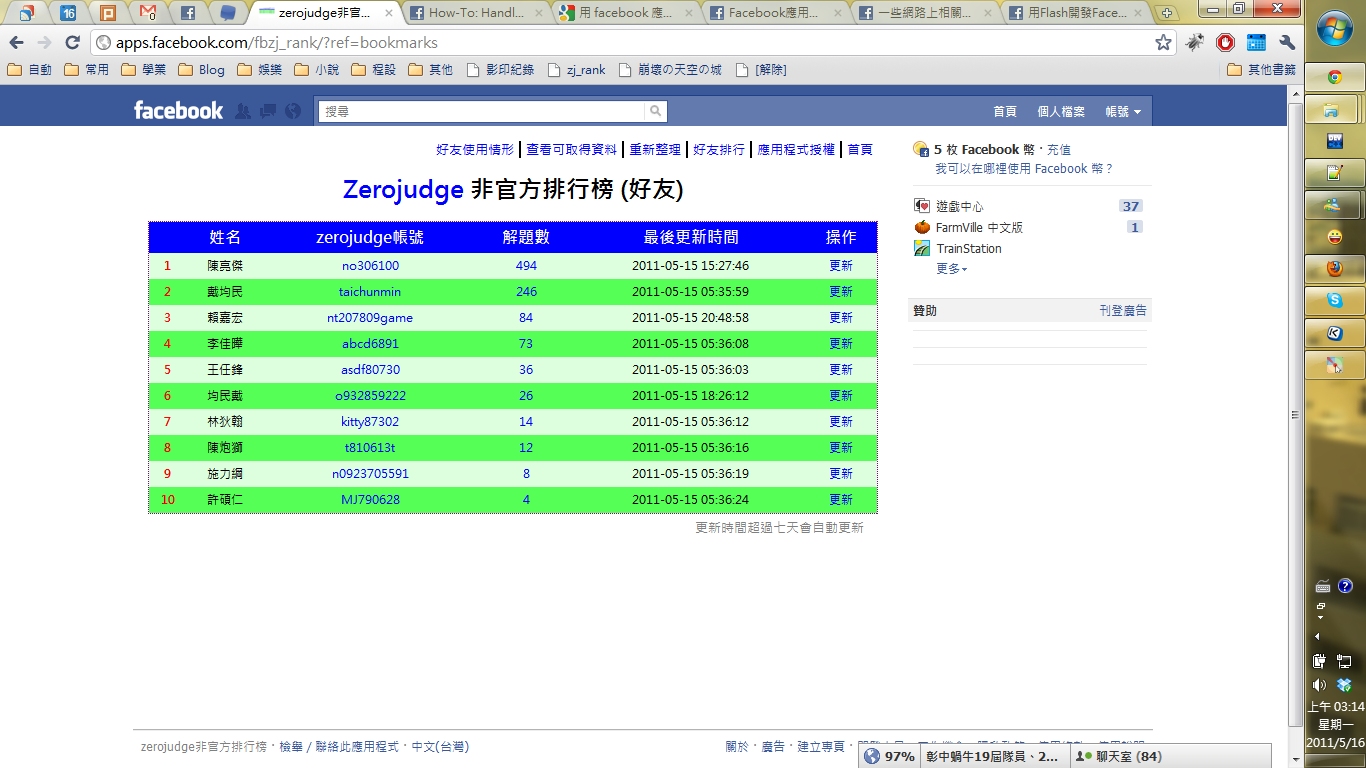
找到新目標之後
果然生活就變成彩色的XD
前幾天不知道為什麼會突然想到
好像可以寫應用程式放到臉書上面
和風信使 發表在 痞客邦 留言(1) 人氣(49)

 資訊工程 (4)